
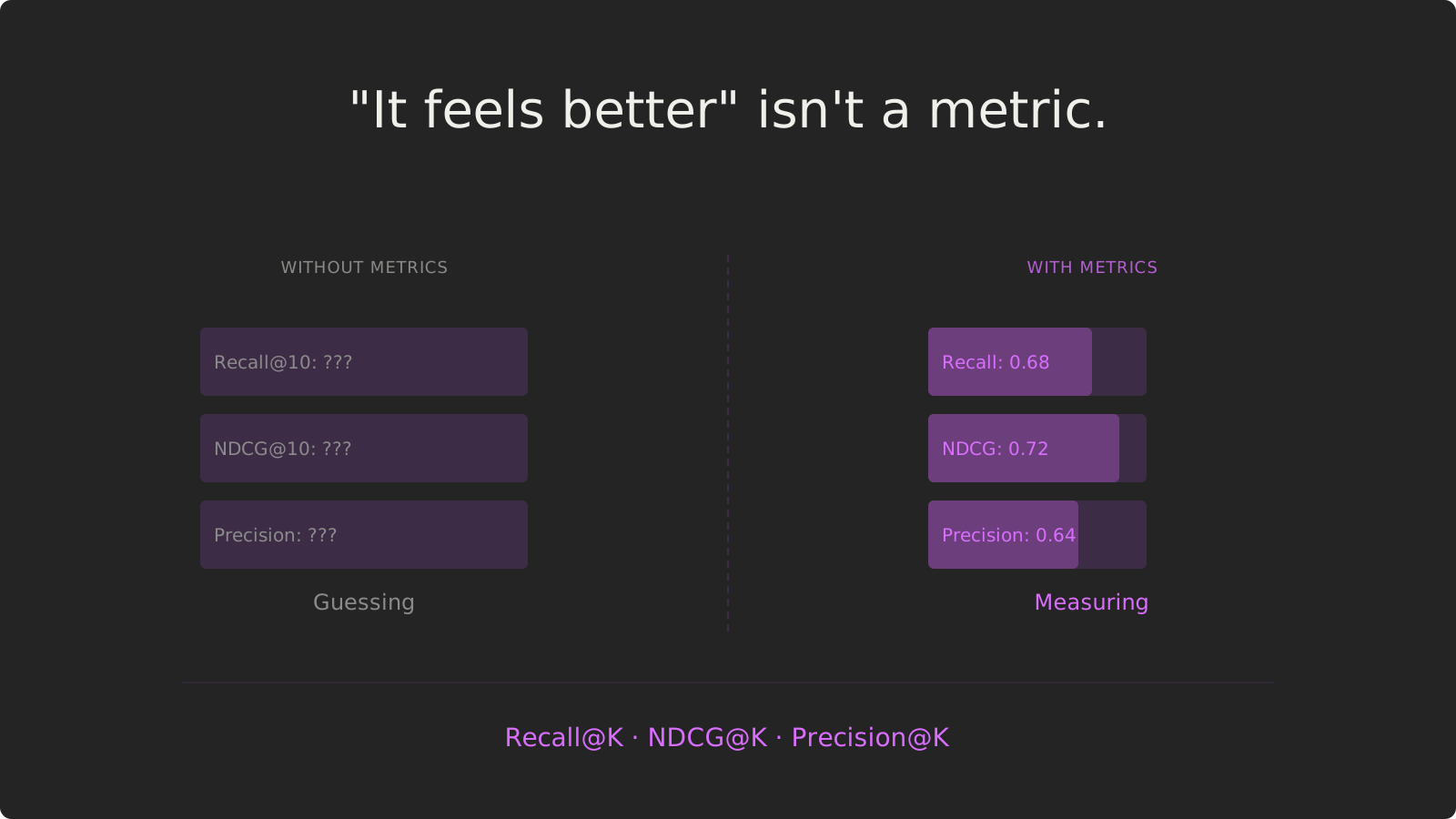
Quick Answer: Measure, Don’t Guess
You changed your agent’s ranking formula. You tweaked the embedding model. You adjusted the filters. Does it work better?
“It feels faster” is not a metric. “The results look more relevant” is not data. “Users seem happier” is not proof.
Production agents need quantitative evaluation:
- Recall@10: Are you retrieving more of the relevant documents?
- NDCG@10: Are the most relevant documents ranking higher?
- Precision@10: What percentage of your top results are actually relevant?
- Hit Ratio@10: How many queries return at least one good result?
Without metrics, you’re flying blind. With metrics, you can A/B test retrieval strategies, prove improvements, and avoid deploying changes that hurt performance.
Key Takeaways:
- Feelings aren’t metrics — “It seems better” doesn’t tell you if Recall improved or tanked
- Offline evaluation first — Test on historical data before exposing users to experiments
- Multiple metrics matter — Optimizing Recall alone can hurt Precision; watch the tradeoffs
- Segment your analysis — New users behave differently than power users; measure both
- A/B test in production — Offline metrics predict online performance, but real users validate
Time to read: 22 minutes | Includes: 9 code examples, 2 evaluation workflows, 1 metrics comparison table
Table of Contents
- The Measurement Gap
- Evaluation Metrics Explained
- Part 1: The Traditional Approach
- Part 2: The Shaped Way — Built-in Metrics
- A/B Testing Workflow
- Real-World Example
- Comparison Table
- FAQ
The Measurement Gap
You’re improving your product recommendation agent. You make a change to the ranking formula:
# OLD: Pure embedding similarity
score = embedding_similarity

# NEW: Blend embedding + popularity + recency
score = embedding_similarity * 0.6 + popularity * 0.3 + recency * 0.1
You deploy to production. You ask your team: “Does it feel better?”
Engineer 1: “Yeah, the results seem more relevant.”
Engineer 2: “I’m seeing more popular items now, which is good.”
PM: “Customers aren’t complaining, so I guess it’s working?”
This is not evaluation. This is hope.
What You Don’t Know
Without quantitative metrics, you can’t answer:
- Did Recall improve? Are you retrieving more relevant items in the top 10?
- Did Precision drop? Are you showing more irrelevant items to hit that Recall?
- Did ranking quality improve? Are the most relevant items appearing first, or buried at position 9?
- Did it work for all users? Maybe power users love it, but new users hate it.
- Was it worth the complexity? You added 2 features and 3 parameters—did performance improve enough to justify the maintenance cost?
The Cost of Not Measuring
Scenario 1: You broke it and don’t know
Your new ranking formula retrieves popular items more often, which feels good when you manually test. But Recall@10 dropped from 0.68 to 0.52—you’re missing 23% of relevant items that the old model would have found. Users are frustrated, but you attributed the drop in engagement to other factors.
Scenario 2: You didn’t improve, but you think you did
You spent 2 weeks building a complex personalization model. It “feels better” in testing. But NDCG@10 improved by only 0.02 (from 0.45 to 0.47)—a statistically insignificant change. You deployed anyway, added maintenance burden, and gained nothing.
Scenario 3: You improved one segment, destroyed another
Your new model works great for power users (NDCG@10 up 15%). But for new users with sparse history, Recall@10 dropped 30%. You’re optimizing for 20% of users and alienating 80%.
Evaluation Metrics Explained
Here are the key metrics for measuring retrieval quality:
Recall@K
What it measures: Of all the relevant items that exist, how many did you retrieve in the top K?
Formula: Recall@K = (Relevant items in top K) / (Total relevant items)
Example:
- User searches “running shoes”
- There are 50 relevant running shoes in your catalog
- Your retrieval returns 10 results, 7 of which are relevant running shoes
- Recall@10 = 7 / 50 = 0.14 (14%)
Why it matters: High Recall means you’re not missing relevant items. Low Recall means relevant items are buried beyond position K.
Tradeoff: Easy to game—just return everything and you’ll have 100% Recall. But Precision will be terrible.
Precision@K
What it measures: Of the top K items you returned, how many are actually relevant?
Formula: Precision@K = (Relevant items in top K) / K
Example:
- Your retrieval returns 10 results
- 7 of them are relevant
- Precision@10 = 7 / 10 = 0.70 (70%)
Why it matters: High Precision means users see mostly relevant items. Low Precision means lots of noise.
Tradeoff: Easy to game—just return 1 item you’re very confident about. But Recall will be terrible.
NDCG@K (Normalized Discounted Cumulative Gain)
What it measures: Are the most relevant items appearing first, or are they buried?
Why it’s better than Precision/Recall: NDCG considers ranking order. An item at position 1 is worth more than position 10, even if both are relevant.
Example:
Ranking A:
1. Running shoe (highly relevant) → score 3
2. Running shoe (highly relevant) → score 3
3. Sandal (not relevant) → score 0
...
Ranking B:
1. Sandal (not relevant) → score 0
2. Running shoe (highly relevant) → score 3
3. Running shoe (highly relevant) → score 3
...
Both have the same Precision@10, but Ranking A has higher NDCG@10 because relevant items appear earlier.
Why it matters: Users rarely scroll past the first few results. NDCG rewards putting the best items first.
Hit Ratio@K
What it measures: For what percentage of queries did you return at least one relevant item in the top K?
Example:
- You run 100 test queries
- 85 of them have at least 1 relevant item in the top 10
- Hit Ratio@10 = 85 / 100 = 0.85 (85%)
Why it matters: A low Hit Ratio means users are seeing zero relevant results—the worst possible experience.
Coverage@K
What it measures: What percentage of your catalog appears in recommendations?
Example:
- You have 10,000 products
- Across all users, your recommendations only ever show 2,000 unique products
- Coverage = 2,000 / 10,000 = 0.20 (20%)
Why it matters: Low Coverage means you’re stuck in a popularity loop—always recommending the same items. New or niche items never get surfaced.
Tradeoff: Random recommendations have 100% Coverage but terrible Precision/Recall.
The Metric Triangle
You can’t optimize everything at once:
Part 1: The Traditional Approach (Manual Evaluation)
The standard approach is to manually label test data, compute metrics with custom scripts, and compare results in spreadsheets.
Architecture
Run new model → Get predictions
Implementation
Step 1: Create labeled test set
# create_test_set.py
import pandas as pd

# Load historical user queries and clicked items
interactions = pd.read_sql("""
    SELECT user_id, query, item_id, clicked
    FROM search_logs
    WHERE date >= '2024-01-01' AND date < '2024-02-01'
""", db)

# Label relevant items (clicked = relevant)
test_set = []
for user_id, group in interactions.groupby('user_id'):
    for query in group['query'].unique():
        query_items = group[group['query'] == query]
        relevant_items = query_items[query_items['clicked'] == 1]['item_id'].tolist()

        test_set.append({
            'user_id': user_id,
            'query': query,
            'relevant_items': relevant_items
        })

test_df = pd.DataFrame(test_set)
test_df.to_csv('test_set.csv', index=False)
print(f"Created test set with {len(test_df)} queries")
Step 2: Run both models and collect predictions
# run_models.py
import pandas as pd
from old_model import OldRetriever
from new_model import NewRetriever

test_set = pd.read_csv('test_set.csv')

old_retriever = OldRetriever()
new_retriever = NewRetriever()

results = []

for _, row in test_set.iterrows():
    user_id = row['user_id']
    query = row['query']
    relevant_items = eval(row['relevant_items'])  # Convert string back to list

    # Get predictions from both models
    old_predictions = old_retriever.retrieve(user_id, query, k=10)
    new_predictions = new_retriever.retrieve(user_id, query, k=10)

    results.append({
        'user_id': user_id,
        'query': query,
        'relevant_items': relevant_items,
        'old_predictions': old_predictions,
        'new_predictions': new_predictions
    })

pd.DataFrame(results).to_csv('predictions.csv', index=False)
Step 3: Compute metrics manually
# compute_metrics.py
import pandas as pd
import numpy as np

def recall_at_k(relevant_items, predictions, k=10):
    """Compute Recall@K"""
    if len(relevant_items) == 0:
        return 0.0
    predictions_k = predictions[:k]
    hits = len(set(relevant_items) & set(predictions_k))
    return hits / len(relevant_items)

def precision_at_k(relevant_items, predictions, k=10):
    """Compute Precision@K"""
    predictions_k = predictions[:k]
    hits = len(set(relevant_items) & set(predictions_k))
    return hits / k

def ndcg_at_k(relevant_items, predictions, k=10):
    """Compute NDCG@K"""
    predictions_k = predictions[:k]

    # DCG: sum of (relevance / log2(position + 1))
    dcg = 0.0
    for i, item in enumerate(predictions_k):
        relevance = 1 if item in relevant_items else 0
        dcg += relevance / np.log2(i + 2)  # +2 because positions start at 0

    # IDCG: perfect ranking
    idcg = sum(1.0 / np.log2(i + 2) for i in range(min(len(relevant_items), k)))

    return dcg / idcg if idcg > 0 else 0.0

def hit_ratio_at_k(relevant_items, predictions, k=10):
    """Compute Hit Ratio@K"""
    predictions_k = predictions[:k]
    return 1.0 if len(set(relevant_items) & set(predictions_k)) > 0 else 0.0

# Load predictions
results = pd.read_csv('predictions.csv')

# Compute metrics for both models
old_metrics = {'recall': [], 'precision': [], 'ndcg': [], 'hit_ratio': []}
new_metrics = {'recall': [], 'precision': [], 'ndcg': [], 'hit_ratio': []}

for _, row in results.iterrows():
    relevant = eval(row['relevant_items'])
    old_preds = eval(row['old_predictions'])
    new_preds = eval(row['new_predictions'])

    # Old model metrics
    old_metrics['recall'].append(recall_at_k(relevant, old_preds, k=10))
    old_metrics['precision'].append(precision_at_k(relevant, old_preds, k=10))
    old_metrics['ndcg'].append(ndcg_at_k(relevant, old_preds, k=10))
    old_metrics['hit_ratio'].append(hit_ratio_at_k(relevant, old_preds, k=10))

    # New model metrics
    new_metrics['recall'].append(recall_at_k(relevant, new_preds, k=10))
    new_metrics['precision'].append(precision_at_k(relevant, new_preds, k=10))
    new_metrics['ndcg'].append(ndcg_at_k(relevant, new_preds, k=10))
    new_metrics['hit_ratio'].append(hit_ratio_at_k(relevant, new_preds, k=10))

# Compare averages
print("=== Metrics Comparison ===")
print(f"Recall@10:")
print(f"  Old: {np.mean(old_metrics['recall']):.4f}")
print(f"  New: {np.mean(new_metrics['recall']):.4f}")
print(f"  Δ: {np.mean(new_metrics['recall']) - np.mean(old_metrics['recall']):.4f}")
print()
print(f"Precision@10:")
print(f"  Old: {np.mean(old_metrics['precision']):.4f}")
print(f"  New: {np.mean(new_metrics['precision']):.4f}")
print(f"  Δ: {np.mean(new_metrics['precision']) - np.mean(old_metrics['precision']):.4f}")
print()
print(f"NDCG@10:")
print(f"  Old: {np.mean(old_metrics['ndcg']):.4f}")
print(f"  New: {np.mean(new_metrics['ndcg']):.4f}")
print(f"  Δ: {np.mean(new_metrics['ndcg']) - np.mean(old_metrics['ndcg']):.4f}")
print()
print(f"Hit Ratio@10:")
print(f"  Old: {np.mean(old_metrics['hit_ratio']):.4f}")
print(f"  New: {np.mean(new_metrics['hit_ratio']):.4f}")
print(f"  Δ: {np.mean(new_metrics['hit_ratio']) - np.mean(old_metrics['hit_ratio']):.4f}")
Output:
=== Metrics Comparison ===
Recall@10:
  Old: 0.4523
  New: 0.5012
  Δ: +0.0489

Precision@10:
  Old: 0.6234
  New: 0.6891
  Δ: +0.0657

NDCG@10:
  Old: 0.5432
  New: 0.6105
  Δ: +0.0673

Hit Ratio@10:
  Old: 0.8234
  New: 0.8756
  Δ: +0.0522
The new model is better across all metrics. Deploy it.
What You’re Operating
| Component | What It Is | Complexity |
|---|---|---|
| Test set creation | Manual SQL + labeling | ~100 lines |
| Model execution | Run both models, collect predictions | ~150 lines |
| Metrics computation | Implement Recall, Precision, NDCG, Hit Ratio | ~200 lines |
| Statistical testing | Check if differences are significant | ~100 lines (if you do it) |
| Segmentation | Break down by user type, item type | +200 lines per segment |
Total: ~750 lines of custom Python for a basic A/B test.
Problems:
- Metric implementations can have bugs (NDCG is tricky)
- No automatic segmentation (new users vs power users)
- No statistical significance testing (is +0.05 NDCG meaningful?)
- No tracking over time (did metrics drift after deployment?)
- Manual process every time you want to test
Part 2: The Shaped Way — Built-in Metrics
Shaped automatically computes evaluation metrics on every model training run. You get Recall@K, Precision@K, NDCG@K, Hit Ratio, Coverage, and more—segmented by user type and item type—with zero custom code.
Architecture
Implementation
Step 1: Define two engines (old vs new)
# engine_old.yaml
version: v2
name: product_search_baseline
data:
  item_table:
    name: products
  interaction_table:
    name: user_clicks
index:
  - name: product_embedding
    encoder:
      name: text-embedding-3-small
      provider: openai
training:
  models:
    - name: baseline_ranker
      policy_type: elsa
      ranking_expression: |
        1.0 / (1.0 + rank(embedding="product_embedding"))
# engine_new.yaml
version: v2
name: product_search_blended
data:
item_table:
name: products
interaction_table:
name: user_clicks
index:
- name: product_embedding
encoder:
name: text-embedding-3-small
provider: openai
training:
models:
- name: blended_ranker
policy_type: elsa
ranking_expression: |
(1.0 / (1.0 + rank(embedding="product_embedding"))) * 0.6
+ (1.0 / (1.0 + item._derived_popular_rank)) * 0.3
+ (1.0 / (1.0 + days_since_published)) * 0.1Step 2: Train both engines
shaped create-engine --file engine_old.yaml
shaped create-engine --file engine_new.yaml
Shaped automatically:
- Splits data into train/validation/test sets
- Trains both models
- Computes all metrics on the held-out test set
- Segments metrics by user/item type
Step 3: Compare metrics in the console
Navigate to the Shaped console and view metrics side-by-side:
Model: baseline_ranker (Old)
─────────────────────────────
Recall@10:       0.4523
Precision@10:    0.6234
NDCG@10:         0.5432
Hit Ratio@10:    0.8234
Coverage@10:     0.3421
Personalization: 0.7234

Segmented Metrics:
  New Users:
    Recall@10:    0.3912
    NDCG@10:      0.4823
  Power Users:
    Recall@10:    0.5891
    NDCG@10:      0.6542

─────────────────────────────

Model: blended_ranker (New)
─────────────────────────────
Recall@10:       0.5012  (+10.8%)
Precision@10:    0.6891  (+10.5%)
NDCG@10:         0.6105  (+12.4%)
Hit Ratio@10:    0.8756  (+6.3%)
Coverage@10:     0.4123  (+20.5%)
Personalization: 0.7891  (+9.1%)

Segmented Metrics:
  New Users:
    Recall@10:    0.4523  (+15.6%)
    NDCG@10:      0.5634  (+16.8%)
  Power Users:
    Recall@10:    0.6234  (+5.8%)
    NDCG@10:      0.7012  (+7.2%)
Decision: The new model improves across all metrics and all segments. Deploy.
Step 4: Query both engines for A/B testing
# agent_ab_test.py
import requests
import random

SHAPED_API_KEY = "your-api-key"

def search_products(user_id: str, query: str):
    """
    A/B test: route 50% of traffic to each engine.
    """
    # Random assignment (in production, use deterministic bucketing)
    engine = "product_search_baseline" if random.random() < 0.5 else "product_search_blended"

    response = requests.post(
        "https://api.shaped.ai/v2/rank",
        headers={"x-api-key": SHAPED_API_KEY},
        json={
            "engine_name": engine,
            "user_id": user_id,
            "query": query,
            "limit": 10
        }
    )

    # Log which variant was shown for analysis
    log_ab_test(user_id, query, engine, response.json()['results'])

    return response.json()['results']
Step 5: Measure online metrics
After 1 week of A/B testing, compare online engagement:
-- Compare click-through rate by variant
SELECT
  variant,
  COUNT(*) as impressions,
  SUM(clicked) as clicks,
  SUM(clicked) * 1.0 / COUNT(*) as ctr
FROM ab_test_logs
WHERE experiment_id = 'search_blended_v1'
GROUP BY variant;
Result:
variant                   | impressions | clicks | ctr
─────────────────────────┼─────────────┼────────┼──────
product_search_baseline  | 45,234      | 8,123  | 0.1796
product_search_blended   | 44,891      | 9,456  | 0.2107
                                                   (+17.3%)
The new model wins both offline (NDCG@10 +12.4%) and online (CTR +17.3%). Deploy to 100% of traffic.
A/B Testing Workflow
1. Define Your Hypothesis
Bad hypothesis: “Let’s try adding popularity to the ranking.”
Good hypothesis: “Blending popularity (30% weight) with embedding similarity will improve NDCG@10 by at least 5% without hurting Recall@10.”
2. Run Offline Evaluation
Before showing anything to users, test on historical data:
# Test ranking strategy changes in YAML
ranking_expression: |
  (1.0 / (1.0 + rank(embedding="product_embedding"))) * 0.6
  + (1.0 / (1.0 + item._derived_popular_rank)) * 0.3
  + (1.0 / (1.0 + days_since_published)) * 0.1
Train the engine, check metrics. If offline metrics don’t improve, don’t deploy.
3. A/B Test Online (if offline looks good)
Route a small percentage of traffic (5-10%) to the new model:
# Deterministic bucketing by user_id
def get_variant(user_id):
    hash_val = int(hashlib.md5(user_id.encode()).hexdigest(), 16)
    return "new" if hash_val % 100 < 10 else "old"  # 10% to new variant
4. Monitor Online Metrics
Track engagement metrics (CTR, conversion rate, time on site) for both variants.
5. Ship or Rollback
If online metrics improve (and offline metrics predicted they would), ship to 100%. If not, rollback.
Real-World Example
Scenario: E-commerce Search Agent
Problem: Users complain that search returns irrelevant products.
Hypothesis: Adding category-specific ranking will improve NDCG@10 by 10%.
Current model:
ranking_expression: |
  1.0 / (1.0 + rank(embedding="product_embedding"))
Proposed model:
ranking_expression: |
  (1.0 / (1.0 + rank(embedding="product_embedding"))) * 0.7
  + user_category_affinity * 0.3
Offline evaluation:
| Metric | Current | Proposed | Change |
|---|---|---|---|
| Recall@10 | 0.523 | 0.534 | +2.1% |
| Precision@10 | 0.645 | 0.678 | +5.1% |
| NDCG@10 | 0.612 | 0.689 | +12.6% ✓ |
| Hit Ratio@10 | 0.834 | 0.856 | +2.6% |
Segmented analysis:
| Segment | Current NDCG@10 | Proposed NDCG@10 | Change |
|---|---|---|---|
| New users | 0.534 | 0.612 | +14.6% |
| Power users | 0.712 | 0.745 | +4.6% |
| Electronics | 0.623 | 0.701 | +12.5% |
| Clothing | 0.601 | 0.677 | +12.6% |
Decision: Offline metrics beat hypothesis (12.6% > 10%). All segments improved. Deploy to 10% of users.
Online A/B test (7 days):
| Variant | Users | CTR | Conversion Rate | Revenue/User |
|---|---|---|---|---|
| Current | 18,234 | 18.9% | 3.2% | $12.34 |
| Proposed | 1,956 | 21.7% (+14.8%) | 3.8% (+18.8%) | $14.89 (+20.7%) |
Result: Ship to 100%. Offline metrics (NDCG +12.6%) predicted online wins (CTR +14.8%, conversion +18.8%).
Comparison: Manual vs Shaped
| Component | Manual Evaluation | Shaped Built-in Metrics |
|---|---|---|
| Test set creation | Manual SQL + labeling (~100 LOC) | Automatic train/val/test split |
| Metrics implementation | Custom Python (~200 LOC for Recall/NDCG/etc) | Built-in, battle-tested implementations |
| Segmentation | +200 LOC per segment | Automatic (new users, power users, new items, power items) |
| Statistical testing | Manual t-tests (~100 LOC) | Built-in confidence intervals |
| Metrics dashboard | Build your own or use spreadsheets | Visual console with comparisons |
| Time to evaluate | 4–6 hours (run scripts, debug, analyze) | 30 minutes (train engine, view metrics) |
| Code to maintain | ~750 lines | ~0 lines (config only) |
| Bugs in metric computation | Common (NDCG is tricky) | Battle-tested, validated |
| Drift detection | Manual (re-run scripts periodically) | Automatic (metrics logged on every training run) |
FAQ
Q: What’s a “good” Recall@10 or NDCG@10?
A: It depends on your domain. E-commerce search might see NDCG@10 of 0.6-0.8. Content recommendation might be 0.4-0.6. What matters is relative improvement—if your change increases NDCG by 10%, that’s meaningful regardless of absolute values.
Q: Should I optimize for Recall or Precision?
A: Neither alone. Optimize for NDCG@K, which balances both. High NDCG means you’re retrieving relevant items (Recall) and ranking them highly (Precision + ranking quality).
Q: How do I know if a metric improvement is statistically significant?
A: Use confidence intervals or t-tests. If your test set has 1,000 queries, a change of +0.01 in NDCG@10 might not be significant. +0.05 probably is. Shaped computes confidence intervals automatically.
Q: What if offline metrics improve but online metrics don’t?
A: This happens when your offline test set doesn’t represent real user behavior. Common causes: test set is too old (user preferences changed), test set is biased (only includes successful searches), or your offline metric doesn’t correlate with user satisfaction. Fix: use recent data, include both successful and failed queries, and validate online.
Q: How long should I run an A/B test?
A: Until you have statistical significance. For high-traffic systems, 3-7 days is typical. For low traffic, you might need 2-4 weeks. Don’t peek at results early—it inflates false positives.
Q: Can I A/B test more than 2 variants?
A: Yes, but split traffic carefully. Testing 5 variants means each gets 20% of traffic—it’ll take longer to reach significance. Start with 2 variants (control vs best hypothesis), then test the winner against other ideas.
Q: What if my new model is better on NDCG but worse on Coverage?
A: This is a tradeoff decision. High NDCG means better user experience (more relevant results), but low Coverage means you’re recommending fewer unique items (potentially ignoring long-tail inventory). Decide based on business priorities: user satisfaction vs catalog diversity.
Conclusion
“It feels better” is not an engineering metric. Without quantitative evaluation, you don’t know if your agent is improving or regressing.
Offline metrics (Recall@K, NDCG@K, Precision@K) let you compare retrieval strategies on historical data before exposing users to experiments. Online A/B tests validate that offline improvements translate to real user engagement.
The traditional approach—manual test sets, custom metric implementations, spreadsheet comparisons—works but requires ~750 lines of code and 4-6 hours per evaluation. Shaped computes all metrics automatically on every training run, segmented by user and item type, with zero custom code.
If you’re deploying agent changes based on intuition instead of metrics, you’re guessing. Measure, compare, and prove improvements with data.